Structured Tasks

Create, assign, and manage tasks with clarity. Add all the key details in seconds, use templates for repeat work, and track progress across your team. Everything stays organized, visible, and tied to the job.
Start Free Trial

No credit card required.

Cinderblock UI creating a new task with a calendar date picker for due date.

Create tasks with the right details

Set the title, due date, priority, visibility, and assignees in just a few quick steps. Add a short description so everyone knows what needs to be done and when.

You can also attach photos, PDFs, or other files, so the right documents are always on hand. Link tasks to appointments or job notes to keep everything connected and easily referenced.

Cinderblock UI assigning a task to team members from the task creation panel.

Save time with subtasks and templates

Add subtasks to break bigger jobs into smaller, trackable steps. For work you do often, load a task template and get a full checklist instantly. You can edit and reuse templates as many times as needed. All of this can be done and viewed from both the desktop and mobile app.
Get started
Cinderblock UI adding a new task from templates with predefined descriptions.

Set reminders so nothing gets missed

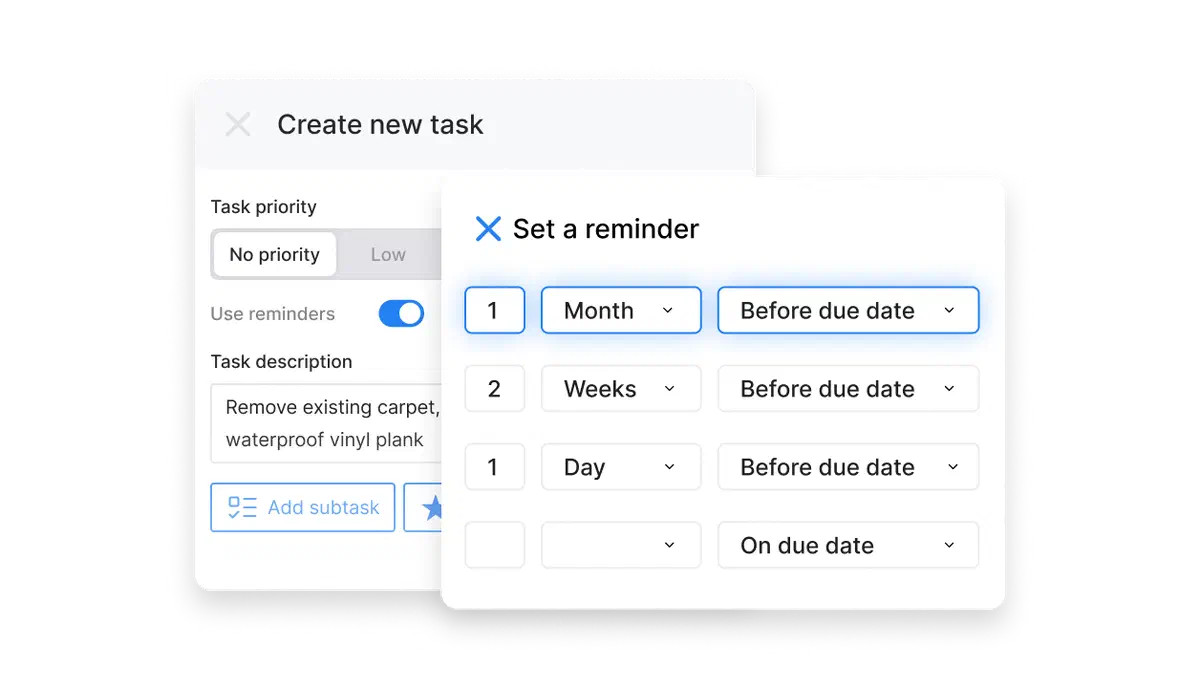
Keep your team on schedule by setting reminders for any task. You can choose when they’re sent, a day, a week, or even a month before the due date, and decide who gets notified. Assign reminders to yourself or specific teammates, so everyone has a clear heads-up.
Cinderblock UI setting task reminders by days, weeks, or months before due date.

Track and organize every task

See what’s done and what still needs attention. Filter tasks by assignee, priority, or due date to stay on top of progress. You can star important tasks, use the search bar to find anything fast, and reopen completed ones if needed, so nothing gets missed and your team always knows what’s next.
Cinderblock UI sorting tasks by priority and due date in a to-do list view.
It’s how we keep track of what still needs doing.

Even when a job is mostly done, there are always a few final details that can get overlooked. Since we started using Cinderblock, tasks act as a checklist for us, so nothing gets missed.

Matthew, Plumbing Contractor

call to action

Help your team stay organized and on track

Try Cinderblock For Free

14-day free trial. No credit card required.

Everything else that ties your jobs together

Job management

Stay organized with a clear timeline of all job activity.

Scheduling

Schedule faster with a shared calendar and drag-and-drop updates.

CRM

Keep track of every interaction, from first contact to final payment.

Tasks

Hold everyone accountable with deadlines and reminders.

Estimates & Invoices

Build estimates fast and convert them to invoices in one click.

Purchase orders

Keep all purchase records tied to the right job.

Mobile app

Manage jobs, updates, and tasks from anywhere.

Team communication

Communicate clearly with notes and file attachments.

FAQs

If you have any questions about Cinderblock’s tasks feature, please contact us.

Yes. Tasks can be linked to a job, or to a specific appointment within that job, so crew members know exactly what needs to happen at a given visit.
Yes. Tasks from across all jobs are visible in a unified view, so you can see everything outstanding without opening each job individually.
Yes. Tasks and appointments can be filtered by assignee, so you can see one person’s full workload across every job they’re part of.
Yes. Files and media, including photos taken in the field, can be attached to tasks and remain linked to the job record.