Custom job forms for contractors.
Build an inspection checklist or job report once, add it to any job, and every install gets documented the same way. Crews fill it in on site, with photos, and the completed form stays on the job, ready to download as a PDF.
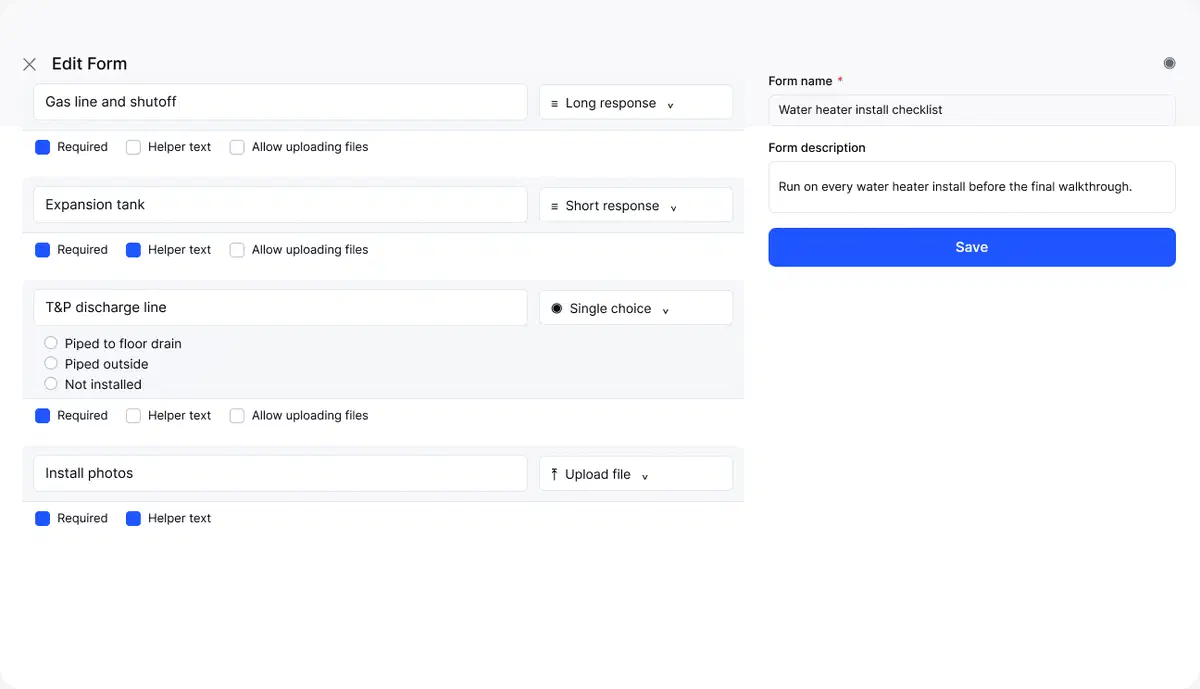
The same checklist, done the same way, on every job.
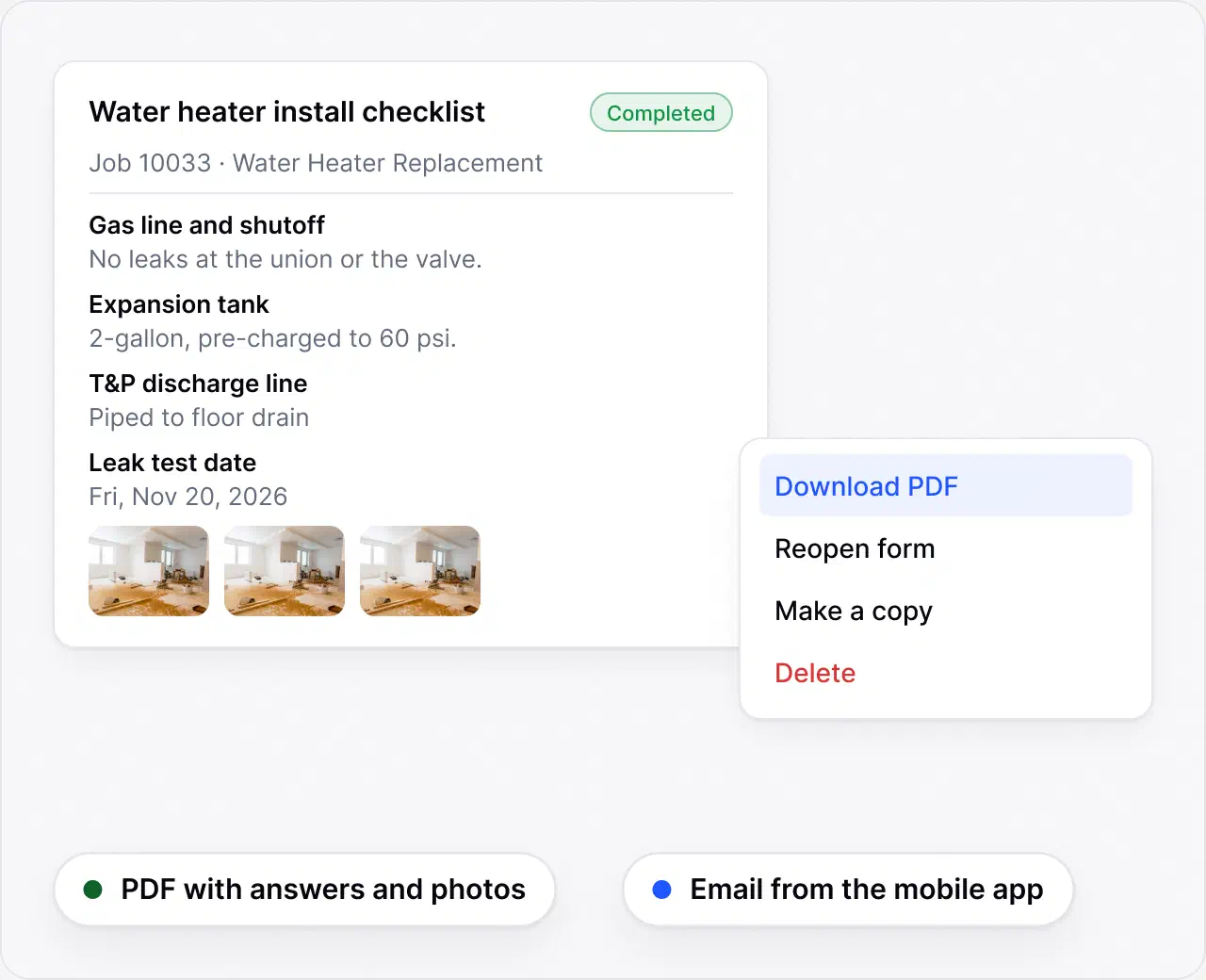
Marcus Reed’s water heater replacement gets the same install checklist as every install: gas, expansion tank, T&P discharge line, venting, and a leak test, with three photos. The form rides on the install appointment, the plumber fills it in on site, and the office has the PDF before the invoice goes out.
- Templates you build once
- Filled in on site
- Saved on the job
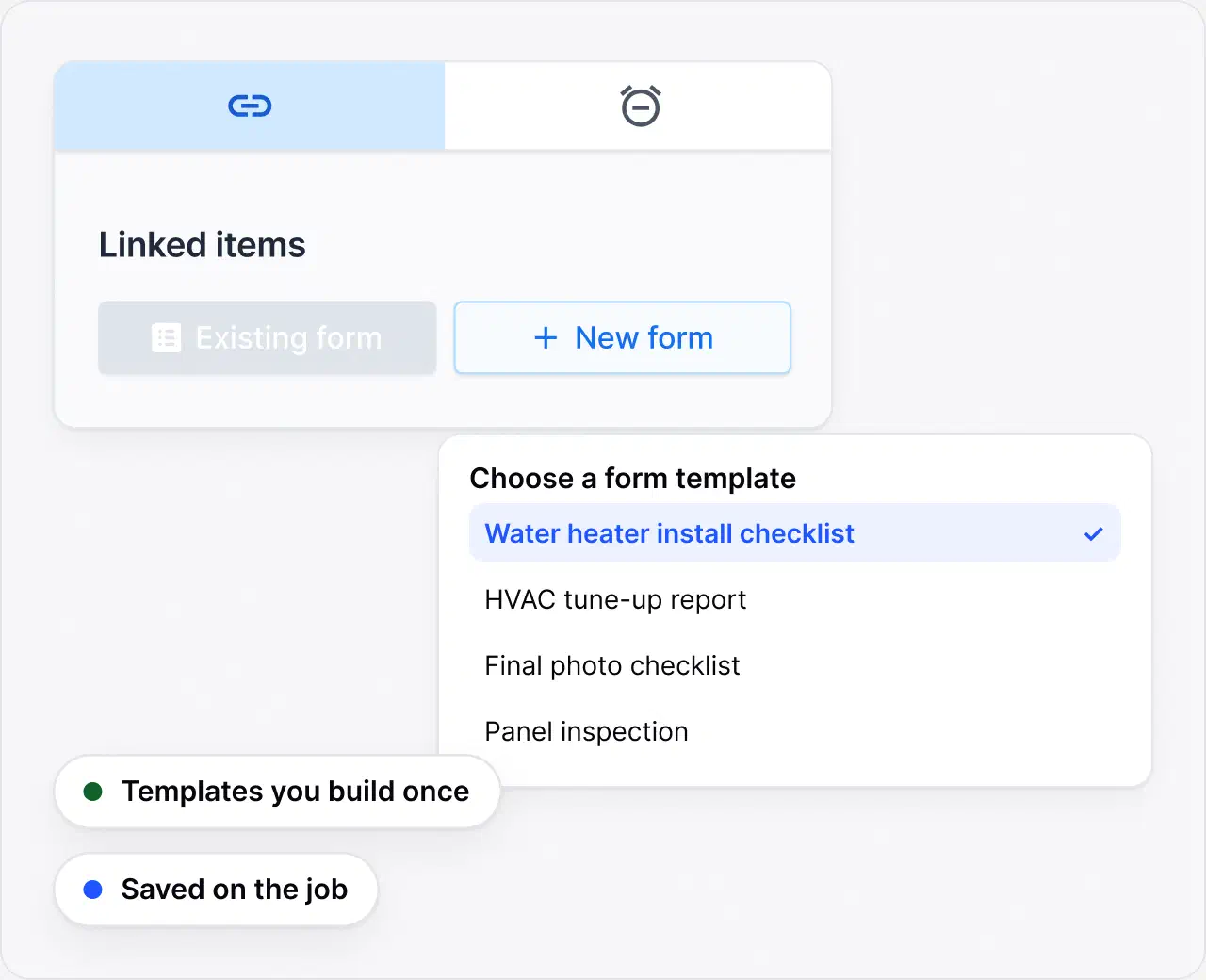
Build forms around the way your crew works.
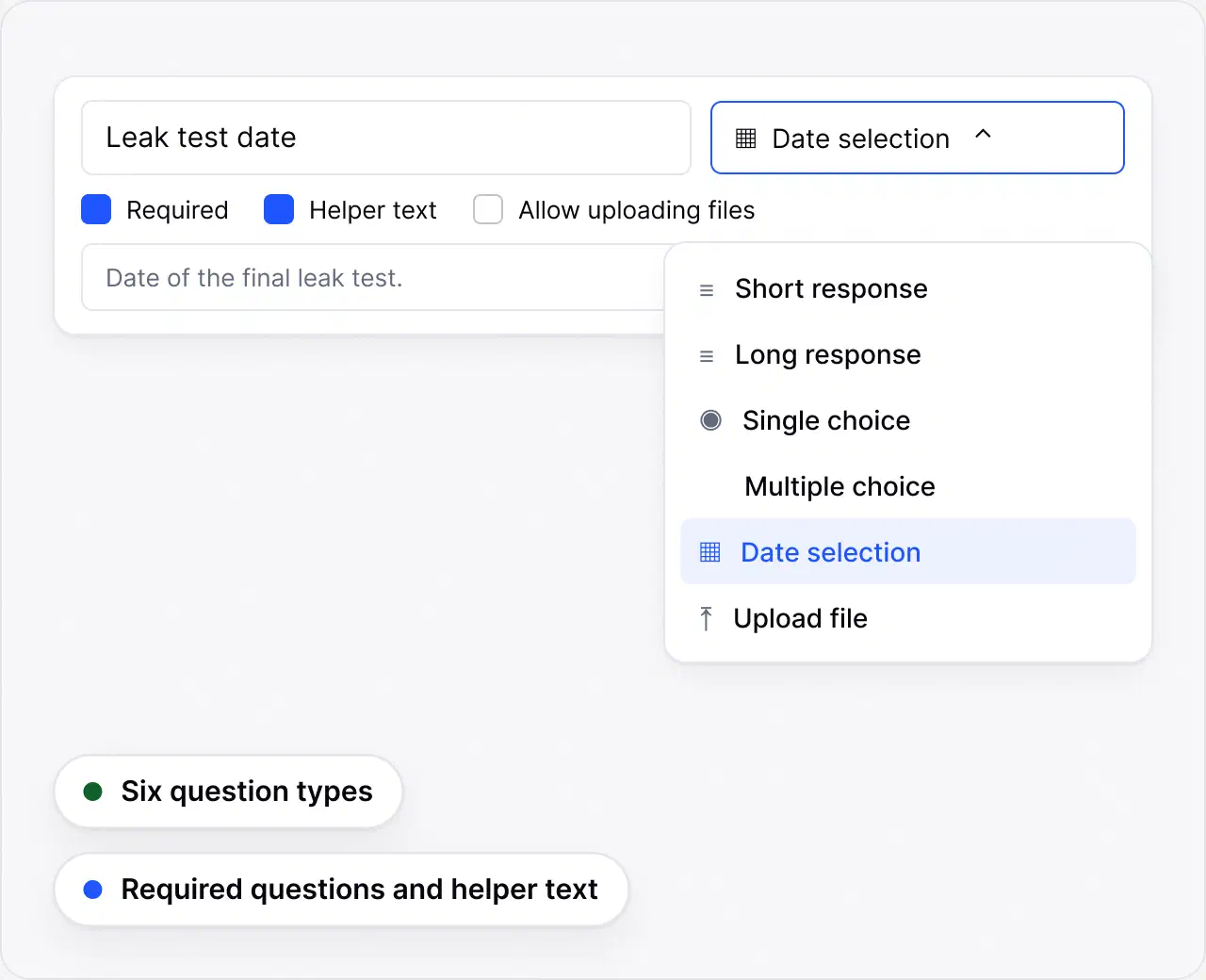
Build form templates in company settings with six question types: short response, long response, single choice, multiple choice, date selection, and upload file. Mark questions required and add helper text so crews know what a good answer looks like. Editing a template never changes the forms already on your jobs. Choice questions take as many options as you need, and you can duplicate or reorder questions as the checklist grows.
- Six question types
- Required questions and helper text
- Template edits never change existing forms
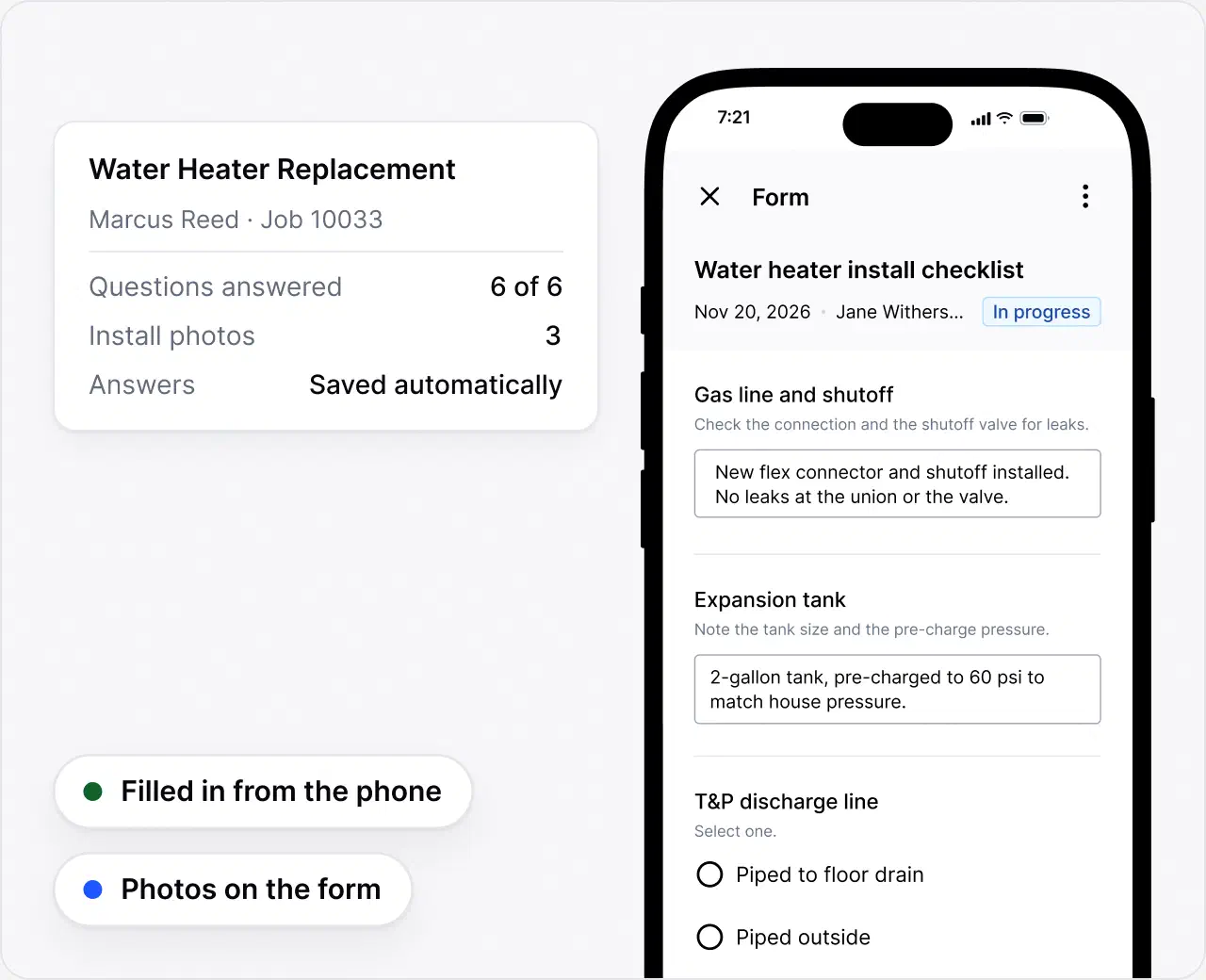
Fill in forms on site, with the photos attached.
Add a form to a job or an appointment, and the crew fills it in from their phone. Upload questions put the photos right on the form, answers save as you go, and required questions keep anything important from being skipped. Mark it complete when it’s done, or reopen it if something needs a second look. It stays on the job with its files and tasks. A form can be filled in over more than one visit.
- Filled in from the phone
- Photos on the form
- Complete and reopen
Hand the customer a PDF before you leave the driveway.
Download a form as a PDF from the web app, with its job, every question and answer, and the photos from upload questions, or email it as a PDF from your phone. A downloaded PDF is a snapshot, so download it again after the form changes.
- PDF with answers and photos
- Email from the mobile app
- Ready for the customer’s file
Turn a good form into your next template.
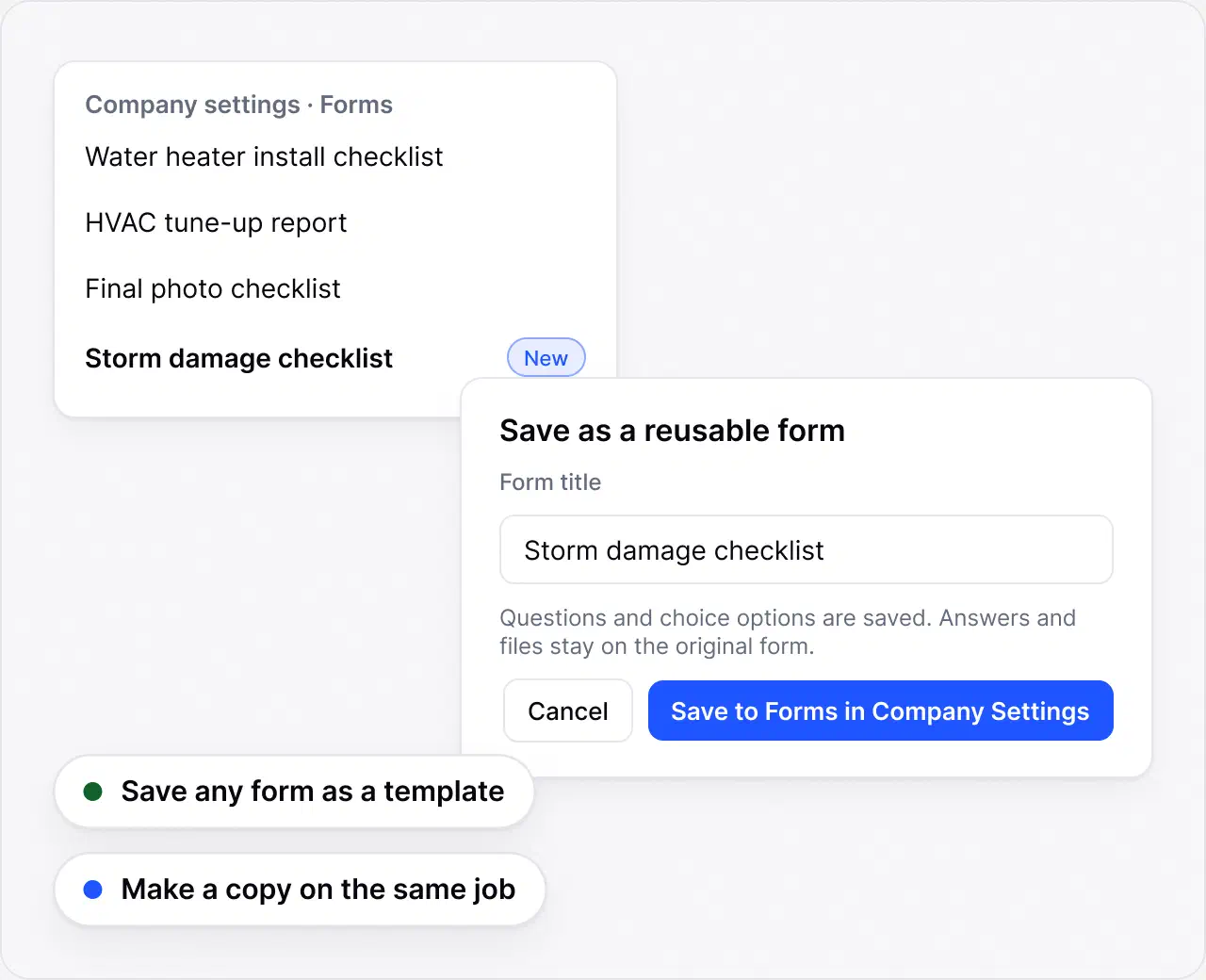
Save a form that works as a reusable template, and it shows up in company settings and whenever someone adds a form to a job. The template keeps the questions and choices, not the answers. Need a second copy on the same job, like one per unit in a duplex? Make a copy instead.
- Save any form as a template
- Questions kept, answers left behind
- Make a copy on the same job
Job forms for every trade.
Everyday ways contractors do the job the same way every time. Each card links to the trade’s page.
Plumbing contractors
Run the same water heater install checklist on every install.
Roofing contractors
Collect the final photos the same way on every roof.
HVAC contractors
Fill in a tune-up report on site and keep it on the job.
Electrical contractors
Document every panel inspection with answers and photos.
Custom job forms FAQs
Works with the rest of the job.
Forms sit on the same job as everything else.