Free estimate generator for contractors.
Build itemized estimates online. Add your cost to each line and see your profit before you send. Download as Word, Excel, or PDF.
Create an estimate in three steps.
-
Enter your details
Add your business and customer info, upload your logo, and set the estimate details. No logo? Make one free with the logo maker.
-
Build your estimate
Describe the work and add line items, prices, and notes. Add your cost to each line to see your margin.
-
Review and share
Print it, save the PDF, or download Word or Excel. Reopen saved estimates any time.
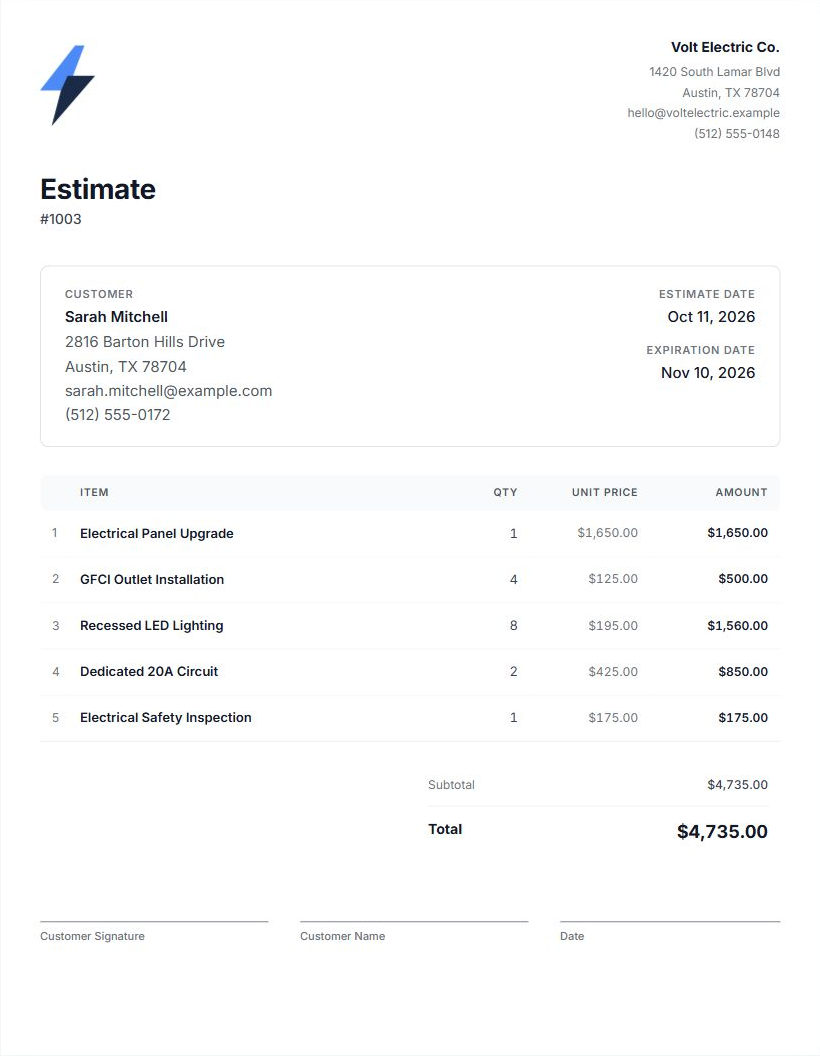
What should a contractor estimate include?
A good estimate makes it clear what work you’re proposing, what it will cost, and what the customer can expect. The details vary by job, but most contractor estimates should include the following.
Customer and project information
Include your business name and contact information, the customer’s details, and enough information to identify the job. Add an estimate number and date so the document is easy to reference later.
Scope of work
Describe the proposed work in clear terms. Identify the major tasks and materials, and explain any important assumptions or exclusions. A detailed scope helps prevent confusion when the job begins. Once the scope is agreed, use the contractor work order generator to write the job instructions for your crew.
Labor, materials, and pricing
Break down the work into understandable line items. Include quantities, unit prices, and applicable taxes or discounts. Make sure the total reflects the work you’ve described.
Use the job pricing calculator to work out what to charge based on your costs and target profit.
Once the job is agreed and supplier quantities and prices are confirmed, use the free purchase order generator to prepare a separate order for the materials.
Dates and terms
Include an expiration date if the pricing is valid for a limited period. Add any relevant payment terms, scheduling assumptions, or other conditions the customer should understand.
Know your profit before you send an estimate
See how a bathroom vanity replacement breaks down. Your customer sees the price of each item. You see your costs, profit, and margin—all in one place.
| Line item | Qty | Price | Your cost |
|---|---|---|---|
| Remove and dispose of old vanity | 1 | $175 | $70 |
| 36" vanity cabinet with quartz top | 1 | $1,150 | $820 |
| Faucet and drain assembly | 1 | $240 | $150 |
| Installation labor (hours) | 6 | $570 | $270 |
| Plumbing reconnection | 1 | $225 | $90 |
| Total | $2,360 | $1,400 |
Total profit: $960 · Profit margin: 41%
See where your profit is going
The estimate shows a healthy 41% profit margin, but not every item is equally profitable. The vanity cabinet costs $820 and sells for $1,150, leaving $330 in profit.
By tracking costs alongside prices, you can spot low-margin items, adjust your pricing, and protect your profit before sending the estimate.
Estimate vs. quote vs. bid
Contractors often use these terms interchangeably, but customers can read them differently.
- An estimate is your expected cost based on what you know now. The final price can change if the scope or conditions change. Record agreed scope changes with the free change order generator.
- A quote is a firmer price for a defined scope.
- A bid is a formal price submitted for a specific project, often in competition with other contractors.
Whatever you call it, spell out the scope, what the price assumes, and your terms. When the work is ready to bill, use the contractor invoice generator.
For a blank form to fill out by hand, use the contractor estimate template.
The estimate is the easy part
You send the PDF, then you wait. The customer asks for a change, you send a new version, and a week later nobody's sure which one they agreed to. When the job's done, you retype the same line items into an invoice and start chasing payment.
Cinderblock takes over from there. Send the estimate as a link. Your customer approves and signs it online. Turn it into an invoice without retyping a line, and get paid online.
| Capability | Estimate generator | Cinderblock |
|---|---|---|
| Professional estimate | Available | Available |
| Print or save as PDF | Available | Available |
| Save and edit estimates | In your browser | In the cloud |
| Customer and job profiles | Not available | Available |
| Send by email or link | Not available | Available |
| Customer digital signatures | Not available | Available |
| Convert estimates to invoices | Copy to invoice | Built in |
| Progress invoicing and payment tracking | Not available | Available |
| Collect payments online | Not available | Available |
| Job management | Not available | Available |
Frequently asked questions
Create an estimate now.
Build a contractor estimate for free and download it as Word, Excel, or PDF. No account required.